
Disable OpenCart language autodetect: quick fix
July 18, 2026 · 4 min read
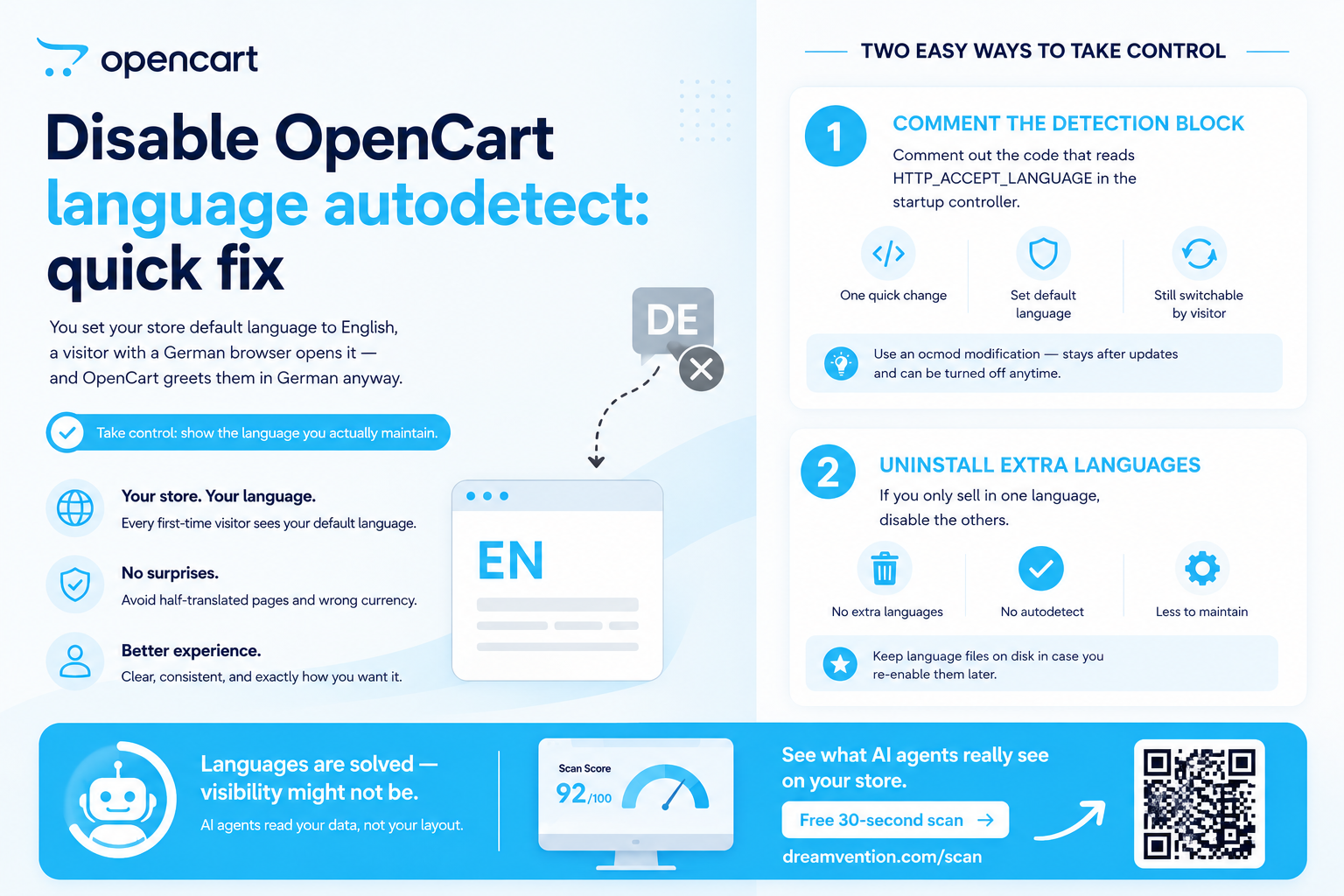
You set your store default language to English, a visitor with a German browser opens it — and OpenCart greets them in German anyway. That is browser language autodetection: on the first visit OpenCart reads the Accept-Language header the browser sends and picks a matching installed store language over your default.
Sometimes that is exactly right. And sometimes your German translation is half-finished, your prices are in the wrong currency context, and you would much rather everyone land on the language you actually maintain.
Where the detection happens
The logic lives in the startup code: catalog/controller/startup/startup.php (in older versions the same block sits in system/framework or index.php). It reads $this->request->server['HTTP_ACCEPT_LANGUAGE'], compares it against the languages installed under System → Localisation → Languages, and stores the winner in the session and the language cookie.
The quick fix: comment the detection block
Connect over FTP, open the startup controller and find the block that mentions HTTP_ACCEPT_LANGUAGE. Comment it out, leaving the fallback that reads the language from the session, the cookie, or the store default. From then on every first-time visitor gets your default language and can still switch manually with the language selector.
Prefer an ocmod modification over editing the file in place — the change survives OpenCart updates and can be toggled off from the admin Modifications screen. And note for returning visitors: the old choice may persist in their language cookie, so test in a private window.
The blunt alternative: uninstall extra languages
If you only ever sell in one language, simply disable the others under System → Localisation → Languages. No installed alternatives — nothing to autodetect. Keep the language files on disk in case you re-enable them later.
Languages are solved — visibility might not be
While you are tuning how humans experience the store, check how machines read it: AI shopping agents from ChatGPT and Gemini query your catalog data directly. Our free 30-second scan at dreamvention.com/scan grades your OpenCart store for exactly that.
Ready to automate your OpenCart store?
You know OpenCart inside out. The next step is turning your store into an AI salesperson that never sleeps — answering buyers, building carts and taking orders while you run the business.
Learn about agentic commerceGet AI Commerce Tips
5 expert tips to grow your store with AI agents.
No spam — unsubscribe with one reply.
Read next
Create custom layouts in OpenCart: beginner's guide
Learn how to create and customize layouts in OpenC…
Read →
Add custom positions to OpenCart header: step-by-step
Add custom header positions to OpenCart: step-by-s…
Read →
Forgot OpenCart admin password? 3-step recovery guide
Locked out of OpenCart admin? Here are 3 ways to r…
Read →Put a sales agent on your store
It knows your catalog, recommends, takes orders — on your site and in ChatGPT. Built for you — live in days, not months.